Heidi updates: Android, templates, and smarter context | Heidi AI
Heidi updates: Android, templates, and smarter context
Heidi Team
6 February 2026•4 min read
The Heidi Android app is here
Section Name: BlockImage
Heidi Android App
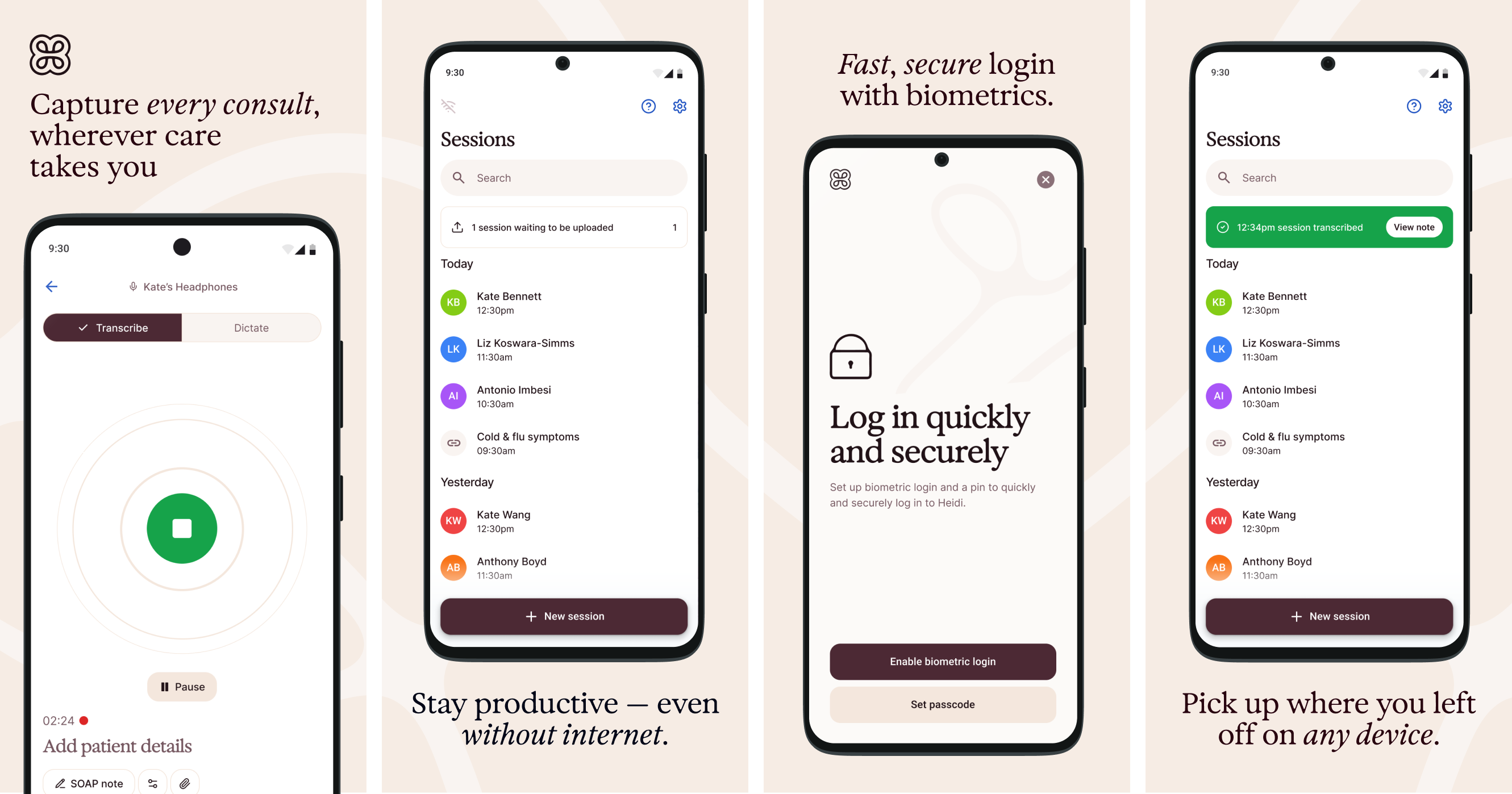
The all new Android app is your on-the-go clinical companion — capture sessions during rounds, bedside encounters, or home visits.
The Android app works in online and offline mode, letting you capture sessions no matter the conditions. Upload files and photos directly to Context during patient encounters, select your preferred microphone and voice settings, and manage notifications with lock screen controls.
Pick up where you left off on any device, working seamlessly across web and desktop to document every consult, wherever care takes you.
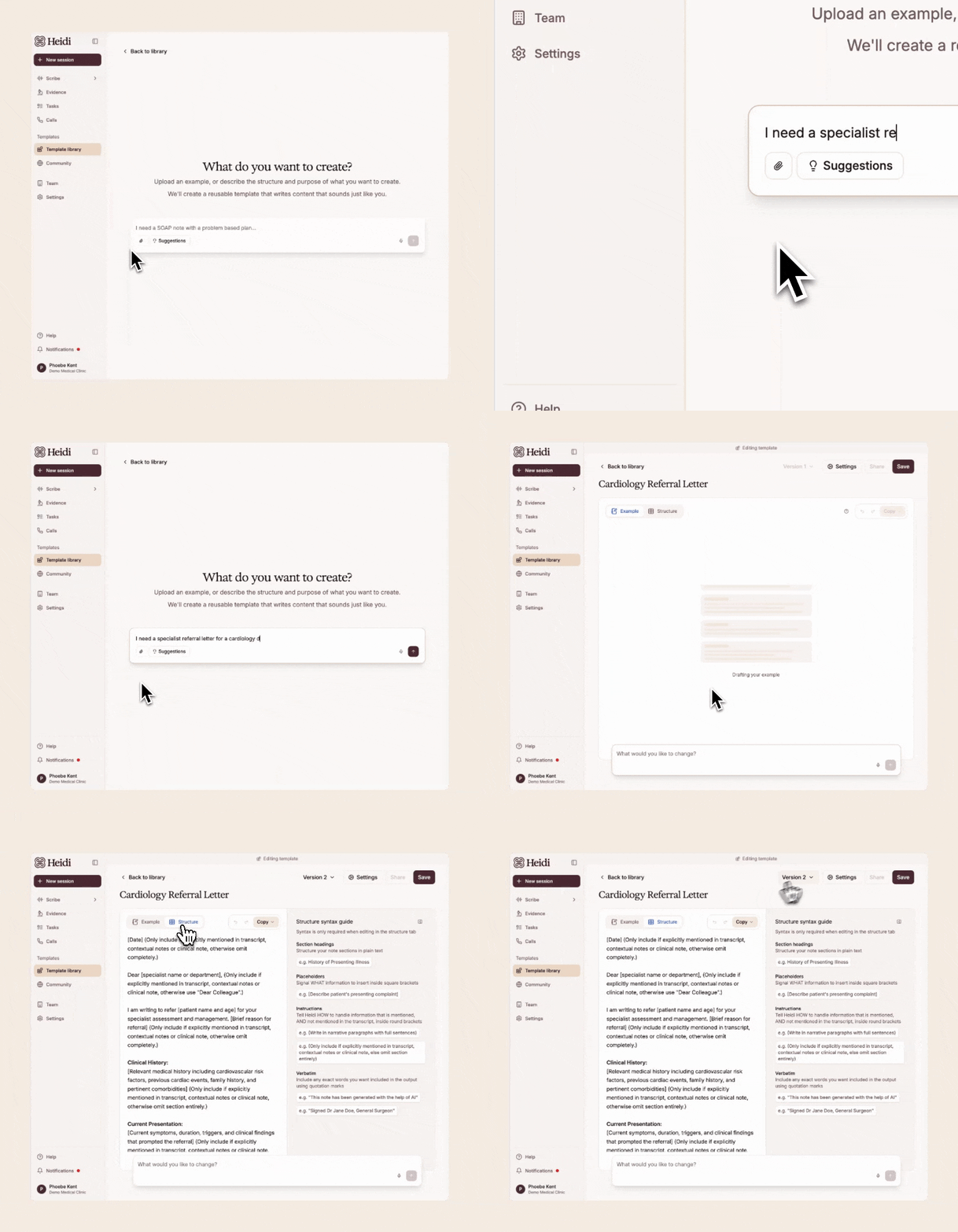
You can now create and update templates by describing what you want, uploading an existing document, or editing an example — and Heidi will build the template for you. Preview changes as you go, with version history so you can roll back anytime. It’s designed to make templates easier to set up, easier to standardise, and easier to keep consistent across your team.
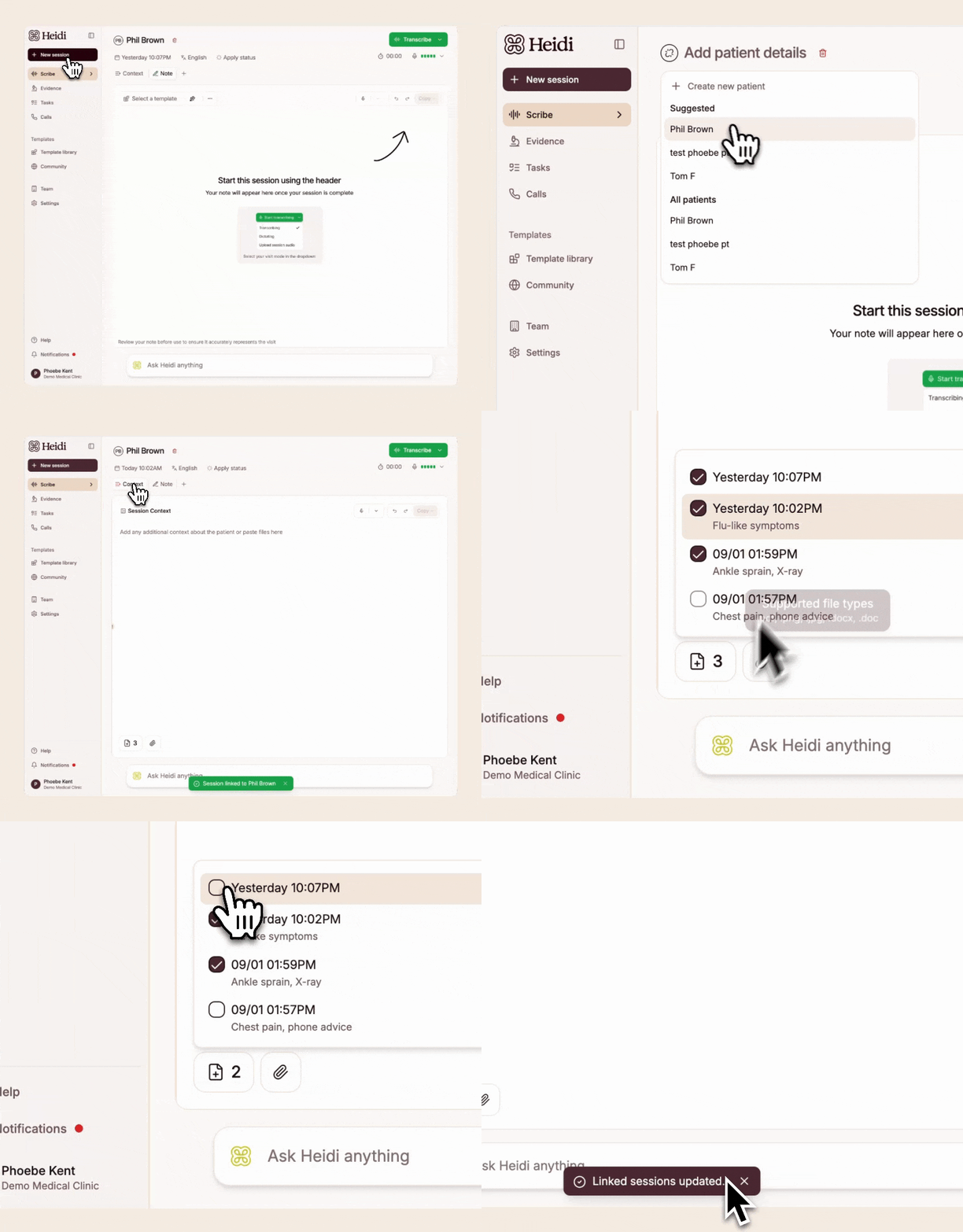
If you’re adding patient profile information, Heidi will now automatically pull the three most recent sessions into your new session — so your notes have the right context, without extra clicks. It helps keep care connected and your documentation complete when a patient’s story spans multiple visits. Prefer to start fresh? Just untick sessions in the Context tab before generating your note. This applies to new sessions only. Learn more here.
Progressively rolling out - full access from Thursday, Feb 5th.
Create notes from Context, then start transcribing
Section Name: BlockImage
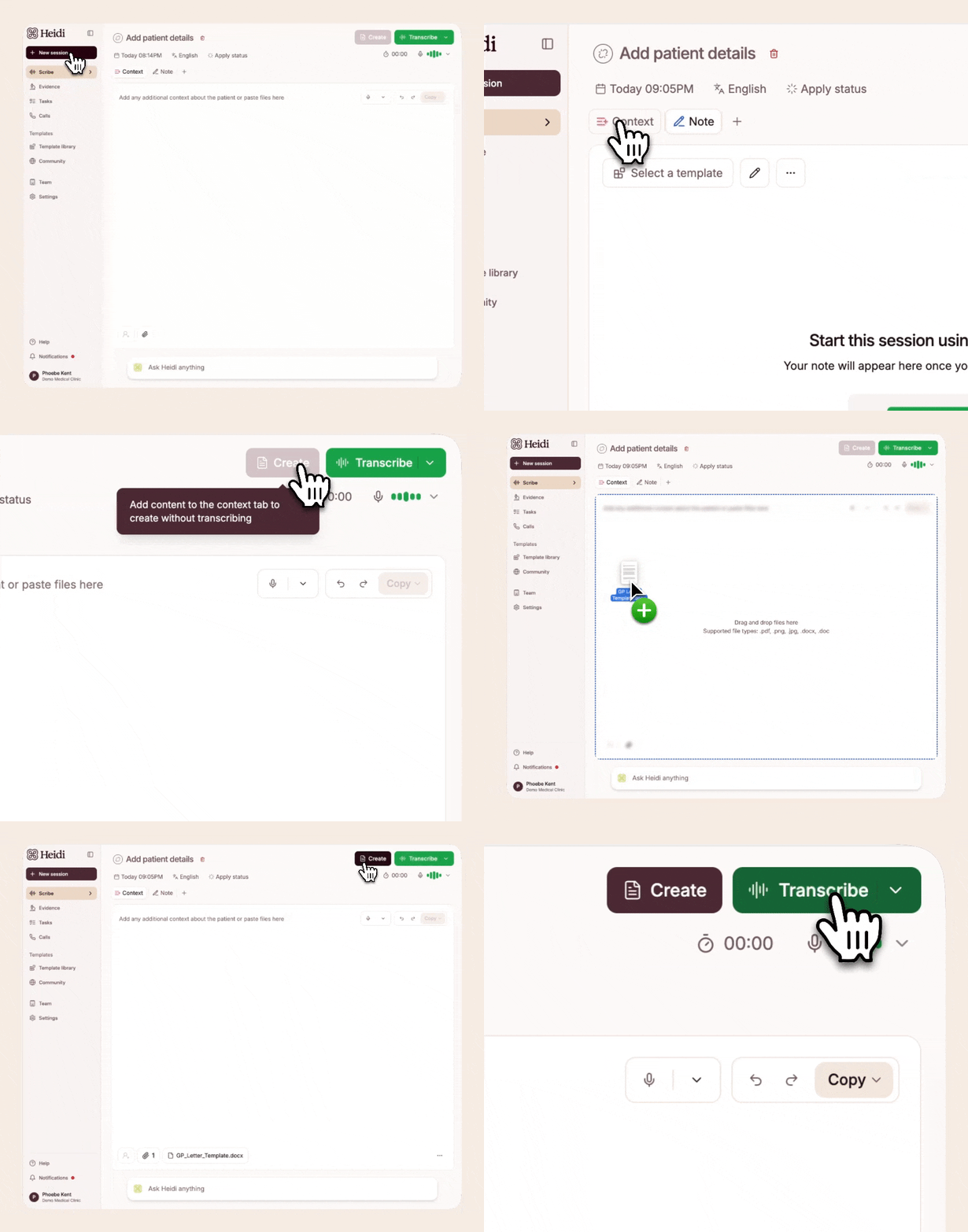
You can now create a note or document from the Context tab before the consult starts — and still start transcribing later in the same session when the consult begins. This makes pre-appointment prep quicker, but it’s just as useful mid-consult or after the fact when extra details come in. It’s an easier way to consolidate information from multiple sources into one clear, consistent output, without jumping between tools or stitching notes together. Learn more.
Quality of Life Improvements
Telehealth: You can run a Telehealth consultation inside your web browser by sharing a browser tab, keeping everything in one place
Auto-saving: Heidi now periodically refreshes all sessions listed on the left-hand panel in Scribe for the latest updates
Desktop App (Version 0.10.0):
Improvements to Universal Dictation, Pre-charting, Patient Context
Better auto-connection and error reporting for Genie and Sentry integrations
Easy editing of templates across organisation-wide templates
More accurate multi-lingual error states
iOS App (Version 2.1.0)
Better edit note functionality for session detail
Improved UI for document uploading
Added mobile responsive design for template library tabs
Widget App (Version 2.1.0)
Custom voice-style options now display in user’s selected language
Improved language selection with better synchronization between input and output languages
Streamlined language handling for more reliable multi-language support
Squashed Bugs
UI polishes to Integrations (Epic Haiku, Gentu, Genie) and Evidence
Improved “Stop” recording reliability and diagnostics for Scribe
Improved sidebar toggle and notification indicator