Learning Objectives:
- Understand how to utilise the Library to organise and edit templates
- Set favourite and default templates
- Set templates as default
1. Set favourite and a default template for easy access
Your favourited templates appear at the top of your Template Library and will be highlighted when you choose a template in a session
Section Name: BlockImage
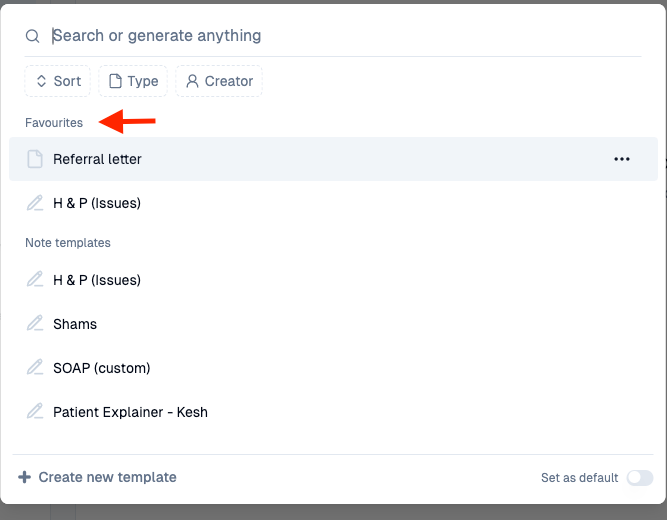
Favourite Templates
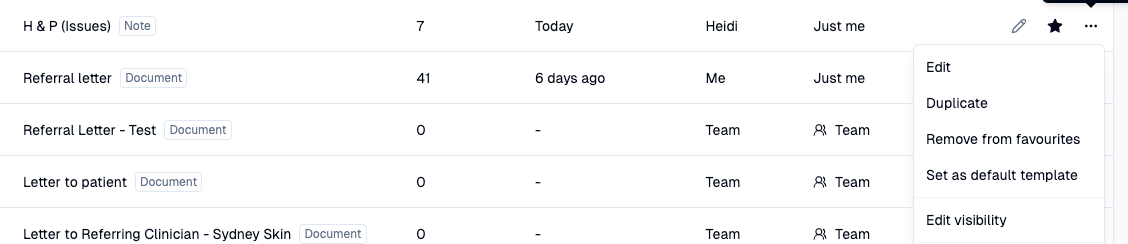
To favourite a template - Find template > Star template
To unfavourite a template - Find template > More Actions (far right, three dots) > Remove from favourites
Section Name: BlockImage